
Can you make an Etsy listing video from photos?
Yes. A short sequence of product photos can become a listing video. This guide uses Listings Video Generator, our independent Chrome extension, to build that sequence inside Etsy’s listing editor. If you want to demonstrate movement, texture, or how something works, include a real product clip too.
- Use desktop Chrome and sign in to your Etsy seller account.
- Have a listing with product photos, or prepare files on your computer.
- Install the extension. Three free renders let you try the workflow; see current plans for continued use.
Open the listing you want to turn into a video
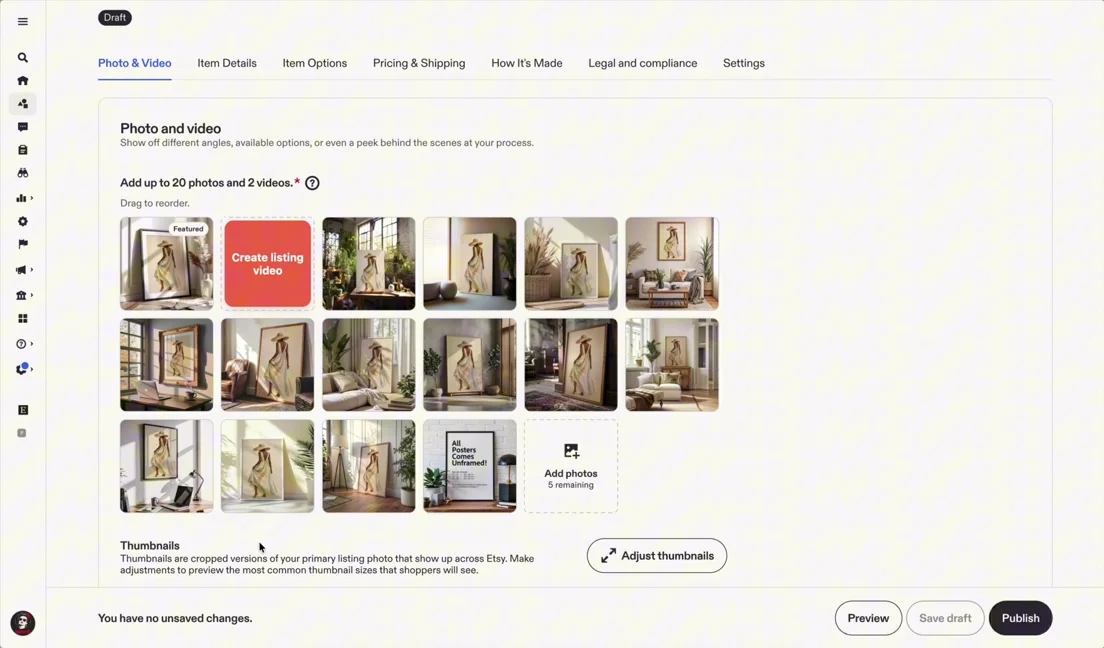
Install Listings Video Generator in desktop Chrome. In Etsy, open Shop Manager → Listings and choose a listing. Go to Photo & Video, then click the Create listing video tile. The editor opens alongside your listing, as shown in the demo.
Choose photos that tell a clear product story
Use the photos already on your listing, or add photos and video clips from your computer. Start with a clear view of the whole product, follow with a close-up, and finish with an image that shows scale or context. In our demo, the source images show framed artwork in several room settings.
Arrange your media and adjust the pacing
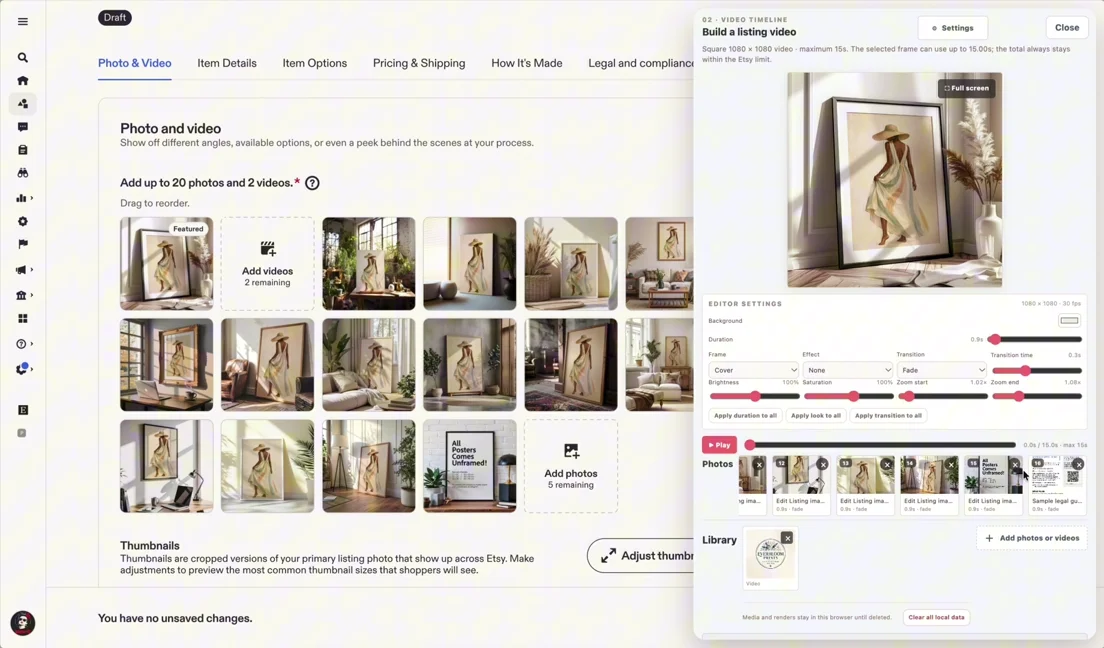
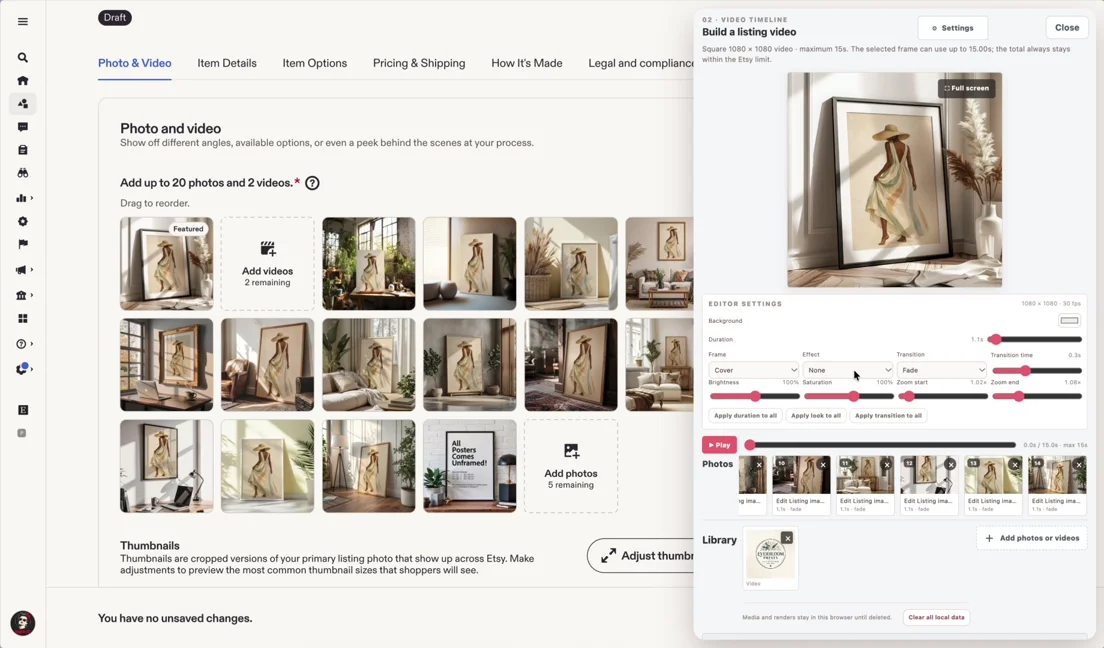
Put the selected images in the order you want shoppers to see them. Preview the sequence and adjust timing and motion in the editor. Keep text readable and give each image enough time to show the product. Remove repetitive views rather than trying to squeeze every listing photo into one video.
Render the video and add it to your listing
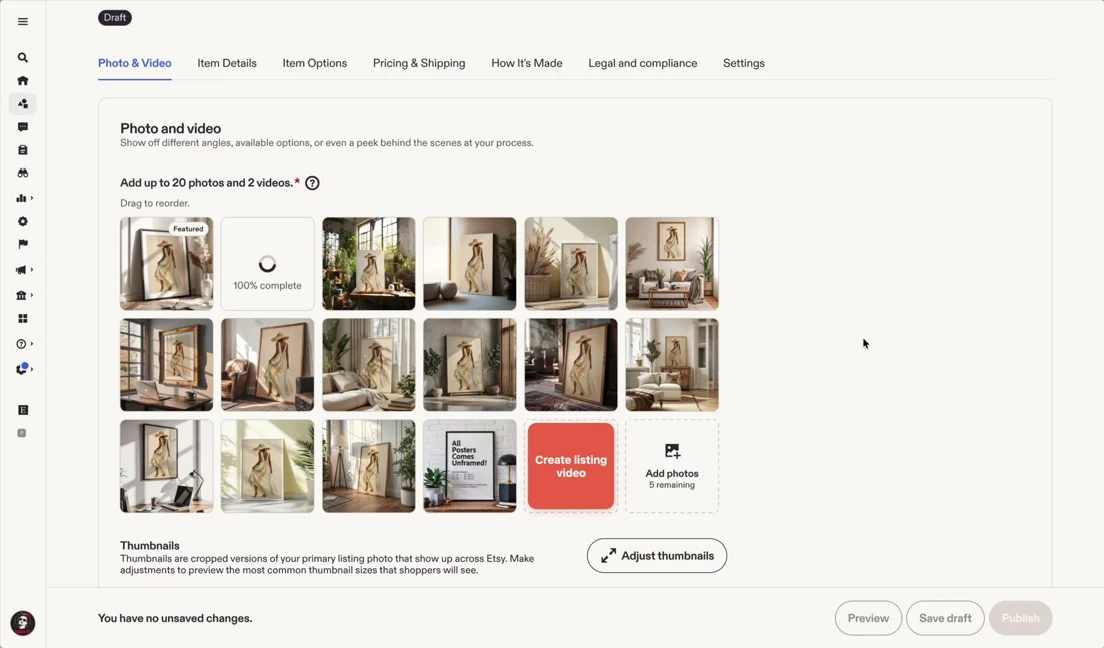
When the preview looks right, render your video. Sign in with Google if prompted to use your render allowance. Click Publish in the extension to add the result to the open Etsy listing. Wait for Etsy to process it, review the video in Photo & Video, then save or publish your listing changes in Etsy. Adding the video and saving the listing are separate steps.
BEFORE YOU SAVE
Check your video against Etsy’s requirements
See our full Etsy listing video requirements checklist, or use this quick summary:
- Length: 3–15 seconds.
- File size: up to 100 MB.
- Resolution: at least 500px; Etsy recommends at least 1080px.
- Audio: Etsy removes audio after upload, so the video should work without sound.
- Number: up to two videos per listing.
MP4 is among the accepted formats. Check Etsy’s official listing-video guidance for the full format and aspect-ratio requirements. Requirements checked October 15, 2026.
Whole product → detail → product in context. For the framed artwork in our demo, that means a clear view of the print, a closer view, and a room setting that helps shoppers understand scale. Use your own product views to answer the questions a shopper would ask.
Common questions
Do I need to film a new video?
No. You can start with existing listing photos. Use filmed clips when they communicate something a still image cannot, such as movement or how the product is used.
Do I have to download and upload the result?
The extension can add the rendered result directly to the listing you have open. If you create a video in another editor, Etsy also supports uploading a file in the listing’s Photo & Video section.
What if the video does not appear?
Allow Etsy to finish processing the upload and check Photo & Video again. If you have reached Etsy’s two-video limit, remove a video you no longer need before adding another. Make sure your file meets the requirements above. For help with the extension, contact support.
Will a video guarantee more sales?
No. Use it to show useful product details and help buyers understand what they are purchasing. Results also depend on the product, photos, price, and traffic.
TRY IT ON YOUR OWN LISTING
Make your first listing video
Start with the product photos you already have. Install the Chrome extension and try three free renders.
Add to Chrome ↗Explore Listings Video Generator →